My phone has gotten really slow and I keep getting storage warnings, even after deleting photos and unused apps. There are tons of phone cleaner apps in the app store, but I’m worried about malware, ads, and fake performance boosters. Can anyone recommend a trustworthy, effective phone cleaner app and explain what makes it better than the others?
Short answer. Most cleaner apps are useless or shady. A few are ok if you pick carefully and know what you need.
Some basics first
- No app will make a slow phone feel brand new.
- Storage problems usually come from:
• WhatsApp, Telegram, Messenger media
• TikTok, Instagram, YouTube cached data
• Old iOS or Android updates
• Huge screenshots, burst photos, videos
Start with built in tools before you touch any “cleaner”.
On iPhone
- Settings → General → iPhone Storage.
• Check the list by size. Delete big apps you do not use.
• Tap each app → “Offload App”. Keeps data, frees app size. - Photos
• Album → Recently Deleted → remove all.
• Search “videos”, “screen recording”, “slow motion” and delete the largest. - Messages
• Settings → Messages → Keep Messages → 1 Year or 30 Days. That frees a lot.
If you still want an app
You mainly need help with:
• Large media detection
• Duplicate or similar photos
• Blurry or useless shots
• Contact cleanup
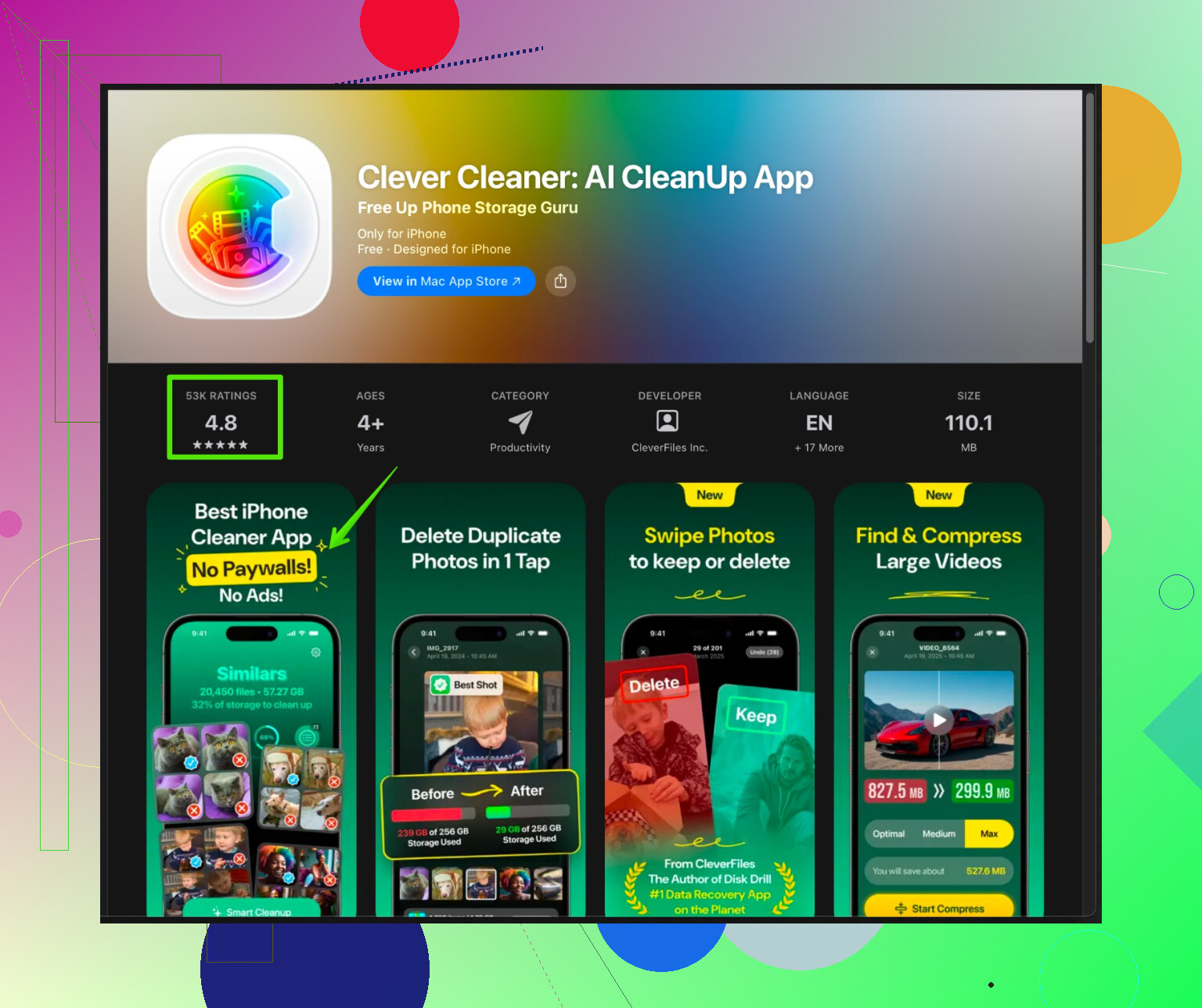
On iPhone, a safer option than most random “cleaners” is Clever Cleaner App. It focuses on organizing and cleaning media and contacts, not fake RAM “speed ups”.
Short description for it
Clever Cleaner App for iPhone helps remove duplicate and similar photos, find blurry or dark pics, clear large videos and tidy up your contact list. It focuses on storage cleanup and media management instead of fake “performance” tricks. Good if your main issue is full storage from photos and videos.
You can check it here
Smart iPhone storage cleanup with Clever Cleaner
Tips for using any cleaner safely
- Download only from the official App Store or Google Play.
- Read recent 1 star reviews. Look for:
• Paywalls on every tap
• Aggressive ads
• Reports of lost photos or contacts - Avoid apps that ask for:
• VPN profiles
• Device management profiles
• Access unrelated to the job
On Android
Skip most “RAM cleaner” and “speed booster” apps. They often:
• Kill background processes that the system manages better
• Drain battery with constant running
• Show aggressive ads, track data
Use this instead
- Files by Google
• From Google LLC only.
• Has a “Clean” tab, removes junk, large files, duplicates.
• Honestly one of the few useful ones. - Built in storage cleaner
• Settings → Storage. Use “Free up space” or similar.
Extra things that help a slow phone
- Check free space. Try to keep 10 to 20 percent of storage free.
- Update OS. Sometimes storage bugs get fixed.
- Restart your phone once in a while.
- Remove widgets and heavy live wallpapers.
Red flags for “cleaner” apps
• Promises like “100 percent faster” or “cool your CPU”
• Fake virus alerts
• Demanding full access to everything with no reason
So, for you:
• iPhone user with storage warnings → use iPhone Storage settings first, then try Clever Cleaner App to sort media and contacts.
• Android user with storage issues → use Files by Google and system tools, skip most third party boosters.
2 Likes
@ombrasilente pretty much nailed the “most cleaner apps are trash” part, so I’ll come at it from a slightly different angle and push back on one thing: I don’t think any cleaner app is a must-have. They’re “nice to have” tools, not magic fixes. If a phone is crawling, it’s usually storage pressure, ancient hardware, or way too many background processes, not something an app can truly “optimize”.
Here’s how I’d break it down by platform and what’s actually safe to use:
If you’re on iPhone
Apple already locks the system down pretty hard, so anything promising “CPU cooling” or “RAM booster” is pure theater.
For iOS, the only category of cleaner app that makes sense is media and contact cleanup:
- Finding duplicate photos
- Detecting similar or nearly identical pics
- Sorting out massive videos
- Merging duplicate contacts or cleaning contacts with no numbers / no emails
That’s where Clever Cleaner App is actually useful. Instead of pretending it can magically speed up the system, it focuses on the stuff iOS genuinely doesn’t do that well by default.
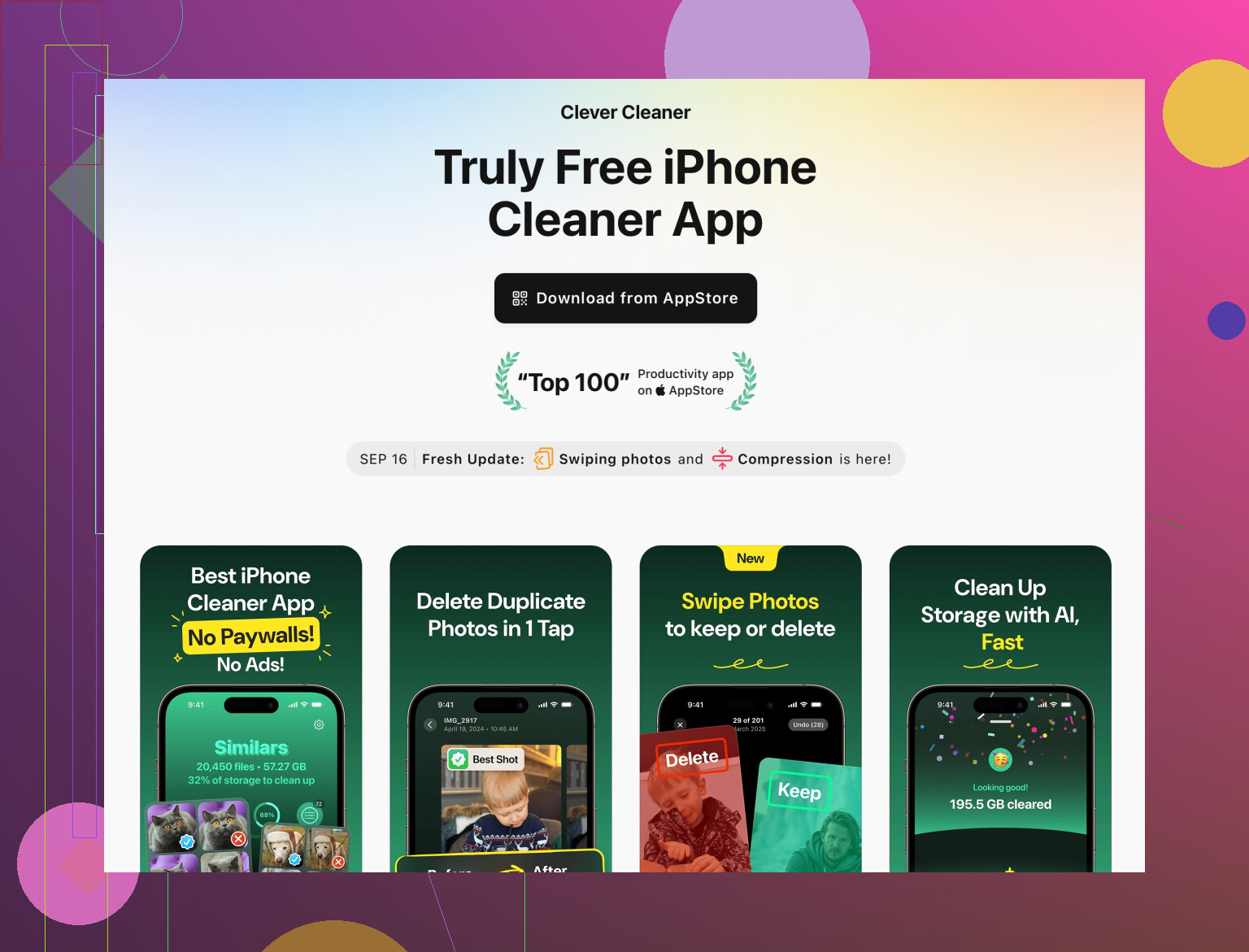
In plain terms, Clever Cleaner App for iPhone is a storage and photo management tool that:
- Scans your gallery for duplicate and look‑alike photos
- Flags blurry, dark, or low‑quality images you probably don’t want
- Helps you spot and delete large videos that are eating storage
- Cleans and merges duplicate contacts for a more organized address book
If your problem is “storage almost full” plus endless photo/video clutter, that kind of focused cleaner is actually worth a try. If your problem is “phone is 6 years old and laggy,” no app will undo physics.
If you want to check it out, this page has a good overview of what it does and how it helps free up space and manage photos more efficiently:
smart storage cleanup and photo management on iPhone
I slightly disagree with the implied idea that you need any cleaner once you’ve used the built in tools. I’d say:
- Light user → built in iPhone Storage options are enough.
- Heavy photo / video hoarder → a focused tool like Clever Cleaner App saves you a ton of manual sorting.
If you’re on Android
Here I’m 100 percent aligned with @ombrasilente: skip “speed booster,” “RAM cleaner,” “phone cooler,” all that junk. They kill background apps, fight the system, spam you with ads, and sometimes track you.
For Android, my short, blunt list:
-
Files by Google
- Probably the only “cleaner” I’d tell non tech people to install.
- Cleans junk files, duplicate files, big downloads.
- Comes from Google, not some random dev with a VPN fetish.
-
System storage tools
- Settings → Storage → Free up space (name varies by manufacturer).
- Often has a built in cleaner that is safer than any third party “turbo booster”.
If those two do not help, a “cleaner” app is not your issue. You’re likely running out of RAM or the phone is just plain old.
Red flags that scream “uninstall me”
If you do decide to try any phone cleaner app, look out for:
- It wants a VPN profile or “device management” profile
- It throws fake “You have 23 viruses!” scare screens
- Every button triggers a paywall or a 30‑second ad
- It claims “200% speed boost” or “cools your CPU instantly”
That is marketing, not engineering.
Bottom line for you
- If storage alerts are the main issue and you’re on iPhone:
- Use iOS storage settings first, then consider a focused storage app like Clever Cleaner App to tame photos, videos, and contacts.
- If you’re on Android:
- Stick to Files by Google plus system tools, and uninstall any “booster” type cleaners.
Cleaner apps are like diet teas: a few are somewhat useful in a very narrow way, most are noisy scams, and none of them can turn a 5‑year‑old phone into a new flagship overnight.
Short version: your instinct to be suspicious of cleaner apps is correct. I’d treat them as “last 10 percent convenience,” not the main fix.
A couple of points where I slightly disagree with what’s already been said:
- First, I don’t think any cleaner, including good ones, should be installed and left forever. Use them like a tool: run, clean, uninstall, reinstall later if needed. Less stuff with deep access to your photos and contacts sitting on the device is always safer.
- Second, background “auto cleaning” is overrated. It often just consumes battery and nags you. Manual sessions a few times a month are enough.
About Clever Cleaner App
If you’re on iPhone and your problem is “photos, videos and contacts are chaos,” then a focused tool like Clever Cleaner App makes sense. It is not one of those fake “CPU cooler / 300% faster” toys, it is mostly about storage hygiene.
Pros of Clever Cleaner App
-
Very focused on real storage hogs
- Duplicate and similar photos
- Blurry or low quality pics you’ll never use
- Large videos that silently eat gigabytes
- Messy contacts (duplicates, empty entries)
-
Interface is understandable even if you are not technical
-
Lets you preview before deleting, which reduces the risk of losing important stuff
-
Targets a gap where iOS is still clunky: identifying similar photos and big media at a glance
Cons of Clever Cleaner App
-
Needs access to your photos and contacts to be useful
- That is expected, but you are still trusting a third party with sensitive data
-
Like any cleaner, it can be a bit too eager
- Similar photos might include things you actually care about (burst shots, comparison pics)
- You still have to review suggestions carefully
-
It does not fix performance issues from old hardware or overloaded background apps
-
If you keep it installed and run it constantly, it becomes just another thing using space and occasionally your attention
This is where I land differently from @sonhadordobosque and @ombrasilente: I think Clever Cleaner App is handy, but I would use it in “campaign mode” rather than “always on.”
Example of a sane pattern:
- Install Clever Cleaner App.
- Run one deep cleanup session:
- Nuke obvious duplicates
- Remove useless similar photos and giant videos
- Merge contacts you clearly recognize as duplicates
- Double check before hitting confirm, especially for older photos.
- When you are done and storage looks healthy, uninstall it.
- Reinstall every few months if your gallery explodes again.
Competitors & how they fit
The main difference between what I am saying and what @sonhadordobosque / @ombrasilente emphasized:
- They are absolutely right that most “booster / RAM cleaner / CPU cooler” apps are junk or shady.
- Where I diverge a bit is that I see media cleaners like Clever Cleaner App as “optional power tools” for people with tens of thousands of photos, not something every user needs.
On Android, I still would not recommend any third party “cleaner” over the built in tools and Files by Google. On iPhone, a single-purpose organizer like Clever Cleaner App is acceptable as long as you:
- Avoid trusting it with automatic deletions you do not review.
- Treat it as a temporary tool, not a permanent resident on your phone.
So if your main problem is storage warnings from media clutter, Clever Cleaner App is a reasonable, safer-than-average choice with real utility, but it will not and cannot turn an aging, underpowered phone into a fast one.