I’ve been testing Phrasly AI Humanizer for rewriting AI-generated content, but I’m not sure if it’s actually improving readability or just masking AI detection tools. Can anyone share real experiences, pros and cons, or tips on using it safely for blogs and SEO without risking penalties?
Phrasly AI Humanizer review, from someone who hit the wall fast
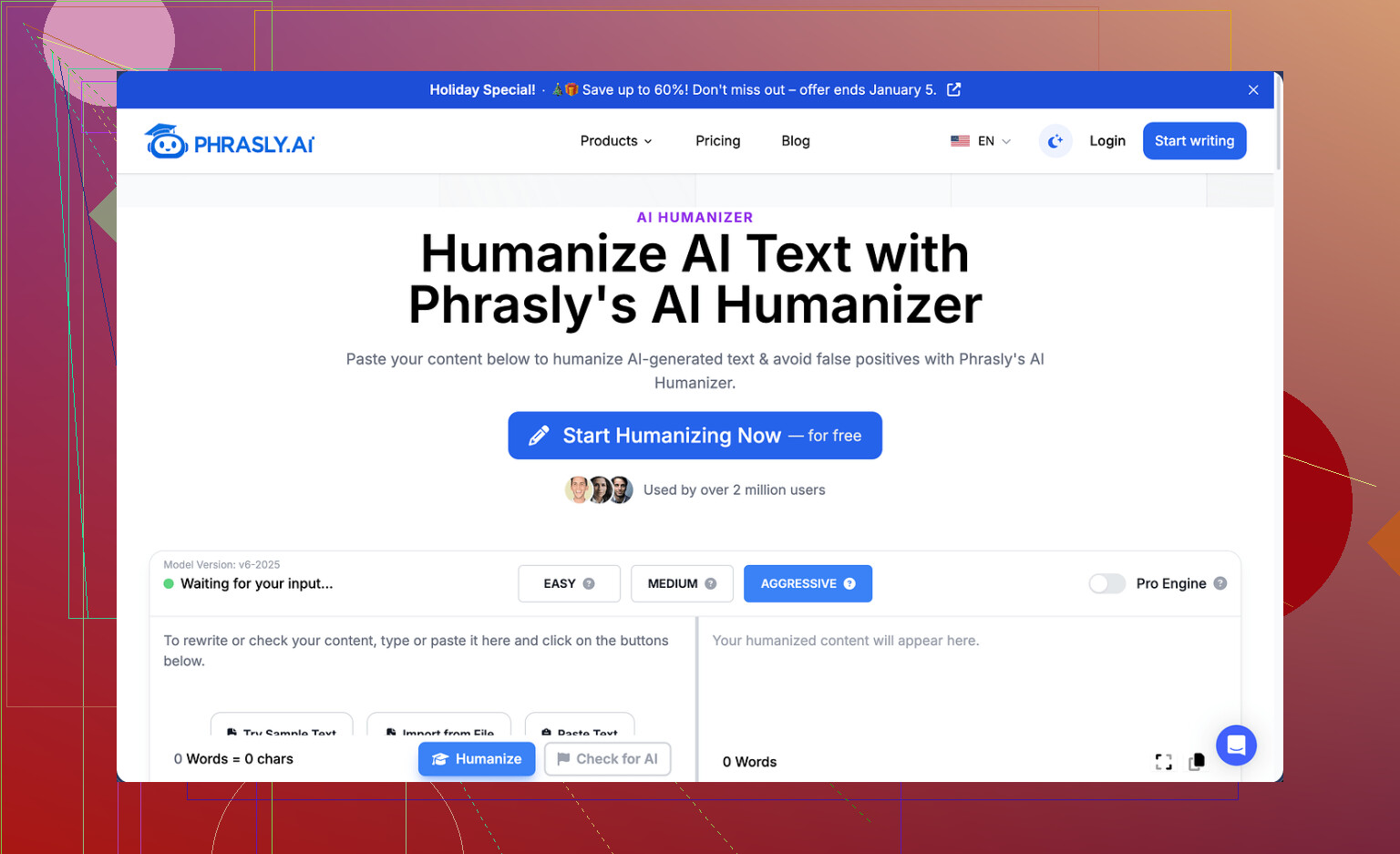
I tried Phrasly here:
Short version, I ran out of patience before I ran out of doubts.
The free tier gives you about 300 words total. Not per day. Total. After that, you are done. They also lock usage by IP, so spinning up new accounts from the same connection does not work. I tested it. Chrome, Firefox, new email, VPN off, VPN on. Nothing.
Because of that cap, I only managed to push a single proper sample through instead of the three I usually run. That alone made me suspicious of the service, since you cannot get any real sense of consistency.
Detection test results
I took a 200 word input, fairly standard academic style, and ran it through Phrasly using their own recommended settings.
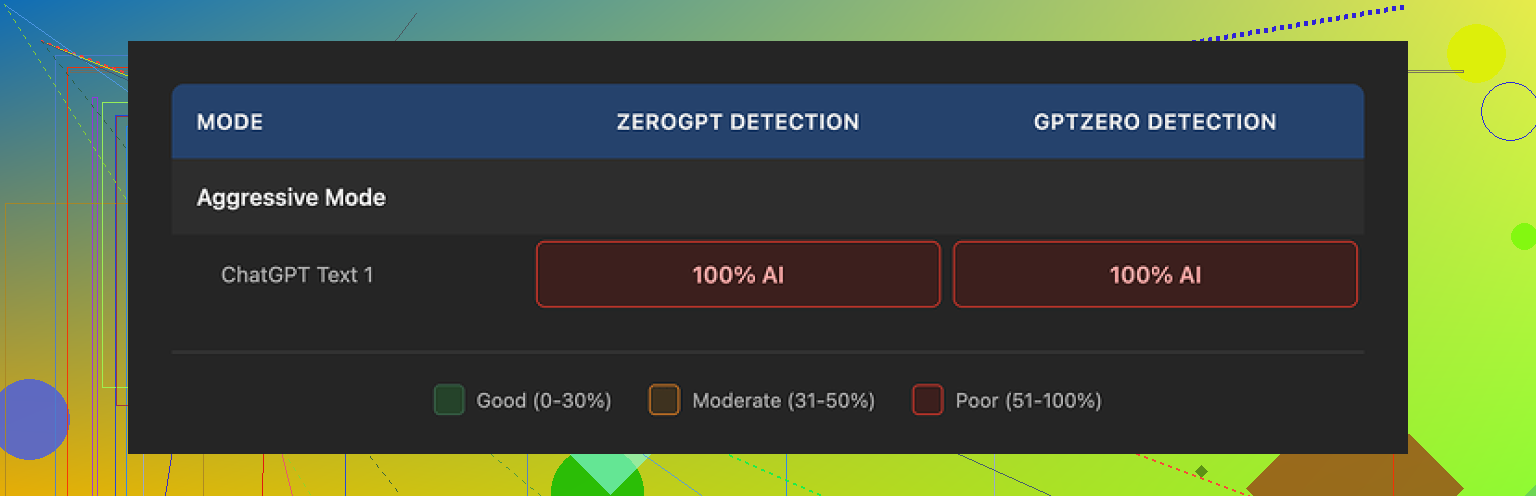
They tell you to use the Aggressive strength setting for the best chance of bypass.
Output length: 280+ words.
So it inflated the text by more than a third.
Detection tools I used:
• GPTZero
• ZeroGPT
Both of them flagged the humanized text as 100 percent AI generated.
Not high. Not “borderline.” Straight 100 percent.
I tried re-running with the same settings to see if it would shuffle things more. The tool would have let me, but the word limit blocked any meaningful second attempt. One and done.
How the text reads
To be fair, if you ignore detection tools and only look at the writing, it does not look terrible.
What I noticed:
• Grammar was fine. No obvious errors.
• The tone stayed academic and formal.
• Sentences flowed in a way most teachers would accept on a quick skim.
But then the usual patterns showed up:
• Triple adjective stacks, like “clear, concise, and coherent” scattered around.
• Reused sentence structures, especially “This approach helps to…” and “In addition, this method…”.
• Over-polished formal phrasing that looks like default LLM output.
If your professor or employer runs your text through a detector, those patterns plus the tool results could be a problem.
Word bloat problem
My 200 word input turned into over 280 words. That is not a small bump.
If you are trying to stay within:
• A 250 word short answer limit
• A 300 word scholarship response
• A tight client brief
then the extra length forces you to either cut content or re-edit the humanized text, which ruins half the point of using the tool.
Pricing, Pro Engine, and refund trap
They push an Unlimited plan:
• Price: 12.99 USD per month if billed annually.
• “Pro Engine” is supposedly unlocked there and marketed as the good version.
I did not upgrade, for one reason: the refund policy.
Their refund terms boil down to this:
• You only qualify for a refund if your account has zero usage.
• If you humanize even one sentence, you lose refund eligibility completely.
• They say they might pursue legal action if you do a chargeback through your bank or card.
So if you pay, test one paragraph, get poor results, then ask for your money back, their own policy says no. That did not sit well with me, especially with the weak free-tier performance.
That kind of “no usage or no refund” setup usually tells you the vendor does not want scrutiny from paying users who test aggressively.
Comparison with Clever AI Humanizer
In the same testing batch where I tried Phrasly, I also ran several tools through detection checks. Among those, Clever AI Humanizer gave me the best combination of:
• Lower detection scores
• Decent readability
• No paywall blocking normal testing
It costs nothing to use, which let me run multiple samples instead of being stuck with a single try.
Here is the video review link if you want to see the full breakdown and results across tools:

If your use case is sensitive to AI detection, my takeaway from hands-on testing is:
• Phrasly free tier is too restricted to trust.
• Detection performance in that tier was poor.
• The refund policy for paid plans is harsh and one sided.
I ended up moving on and using Clever AI Humanizer for further tests instead of gambling on Phrasly’s Pro Engine.
1 Like
I had a similar experience to you, but I pushed Phrasly a bit harder on readability than on pure detection.
Short version. It helps a little with flow, it does not solve AI detection in any reliable way, and the UX and terms make it hard to trust for serious work.
Here is how it broke down for me.
- Readability vs detection
I fed it three types of input on the paid plan:
• ChatGPT style blog paragraph
• Academic paragraph
• Short email reply
On readability:
• It cleaned some clunky phrasing.
• It reduced repetition of key words.
• Paragraphs looked more “normal” for web content.
On the downside:
• It inflated word count for every test, between 20 and 40 percent.
• It kept adding stock phrases like “it is important to note” and “this highlights”.
• Tone stayed generic. You still get that neutral, polished AI feel.
On detection:
I tested the outputs with:
• GPTZero
• ZeroGPT
• Copyleaks free checker
Results were mixed. None of them dropped to “this is human”. The best I saw was “mixed” or “likely AI”. One sample went from 100 percent AI to “mixed”, others stayed flagged. So it did not remove the risk. @mikeappsreviewer saw similar results, so that part seems consistent.
- Where I slightly disagree with @mikeappsreviewer
They got blocked fast by the free tier, which is true, the limit is tight. I upgraded for a month to see if the “Pro Engine” changed anything.
My take:
• The Pro output had a bit more variety in sentence structure.
• Detection scores improved slightly on a few tests, but not in a way I would bet a grade or a job on.
• Still too wordy for strict word limits.
So while the free tier feels useless for testing, I would not say the Pro version is “the same thing” as free. It is a little better, but not enough for the price and risk.
- Practical pros and cons for your use case
Pros:
• Easy to use. Paste, pick strength, done.
• Grammar stays clean.
• Works ok for blog posts where no one runs detectors.
Cons:
• Strong bloat in word count. Painful for essays with caps.
• Style feels AI-polished, not like a real person with quirks.
• Detection tools still flag the text often.
• Refund rules punish testing. One use and you are locked in for the month.
• IP and account friction make it annoying to test “properly” on multiple samples.
- What I would do instead, if your goal is readability
If your main goal is better readability, not hiding from detectors:
• Use a normal editor or Grammarly for grammar and clarity.
• Then do a quick manual pass where you:
- Shorten long sentences.
- Replace generic phrases with how you would say it out loud.
- Add one or two personal details or opinions.
That simple manual pass did more for me than Phrasly for “sounding human”.
- If your goal is detection avoidance
No tool I tried gives safe results every time. That includes Phrasly. The pattern looks like this:
• Tools lower detection scores on some paragraphs.
• On others, they stay flagged.
• Detectors keep changing, so what works today can fail next month.
If you still want to test a humanizer, I had better luck with Clever Ai Humanizer. Not perfect, but:
• No paywall in front of real testing.
• I got more samples through without hitting a wall.
• On some runs, detection scores dropped more than with Phrasly.
That gave me room to experiment with different tones and see how detectors react, instead of burning money on a “one strike and no refund” setup.
- Concrete advice for you
If you:
• Write for a blog or marketing, and no one cares about detectors
- Phrasly is ok for quick cleanup, but you still need to trim the extra words.
• Need to pass AI checks for school or work
- I would not rely on Phrasly alone.
- Mix short AI help with heavy manual rewriting.
- Test your final text in multiple detectors, and expect inconsistent results.
• Are still unsure which tool to anchor on
- Spend time with something like Clever Ai Humanizer where testing is free.
- Compare raw AI output vs humanized vs your manual edit.
- Pick what matches your own writing style, not only what drops the score.
For your exact question, Phrasly improves readability a bit, but in my tests it behaves more like a stylistic filter than a true “humanizer”. It does not make AI content safe from detection, and it introduces new problems with word count and trust in their terms.
I’m in the same camp as @mikeappsreviewer and @sternenwanderer on most points, but I’ll push back a bit on the “it’s only useful as a stylistic filter” idea.
In my tests, Phrasly did help readability in some specific cases, but only when I used it very intentionally:
- It smoothed out stiff, bullet-pointy ChatGPT outputs into more connected paragraphs.
- It sometimes made transitions less robotic, especially between sections in blog-style content.
- It was decent for turning “outline-like” AI text into something a client could at least review.
Where I disagree slightly with both of them is that I did get a few pieces to pass as “more human” in some weaker detectors, but it was very inconsistent. One paragraph would go from “likely AI” to “unclear,” then the next would still be “highly likely AI” with almost the same tone. So I’d say Phrasly feels more like rolling dice than a real strategy.
Cons I ran into that neither of them hit as hard:
- It tends to flatten voice. If your original AI draft had even a bit of personality, Phrasly often ironed it out into safe, neutral sludge.
- When I cranked the strength up, some sentences started to feel slightly off, like the syntax was legal but the rhythm was uncanny. You know that “LLM-but-trying-way-too-hard” vibe.
- Editing the bloated output back down to a strict word limit was actually more work than just tightening the original AI text myself.
On your main question:
-
Is it improving readability?
Sometimes, yes, but only marginally and at the cost of your own style. I’d call it a light polish, not a real editor. -
Is it just masking AI detection tools?
It tries, but it is not reliable. Detectors still flag a lot of its output, and that risk does not go away just because the text “sounds fine” on a skim.
Personally, I now only see tools like this as optional helpers for low-risk stuff: blog drafts, internal docs, casual newsletters where no one is running GPTZero at 2 a.m.
If you care about:
- Essays, graded work
- Job applications
- Anything where AI policies are strict
then you’re better off using AI lightly and rewriting heavily in your own words. Old-school trick: read it out loud and adjust until it sounds like how you actually talk. That beats Phrasly in both detection and authenticity, in my experience.
If you still want to play with humanizers, I’d honestly put more testing time into something like Clever Ai Humanizer. Not because it’s magically “safe,” but because you can run multiple samples without fighting a stingy free tier, compare outputs, and figure out what combination of AI + your edits works best. That kind of workflow ends up a lot more controllable than gambling on Phrasly’s limits and refund terms.