My iPhone has been getting more laggy over the past few months. Apps take longer to open, scrolling feels choppy, and the battery seems to drain faster too. I’m not sure if this is normal aging, a storage issue, or something I can actually fix, so I need help figuring out what’s causing the slowdown and what steps might speed it up.
I kept running into one annoying problem with iPhone slowdowns. Most guides treat it like one issue with one fix. Mine wasn’t like that at all. The lag changed depending on when it showed up, which app I was in, and whether the phone was hot, full, or aging a bit. This is the breakdown I wish I had earlier.
When only a few apps feel slow
If the problem shows up in one or two apps, start there first. I saw this with a map app and one social app. The rest of the phone felt normal.
First thing I did was check the App Store and update everything. After big iOS updates, some apps run badly until their devs patch them. Old app version plus new iOS is a common mess.
If the app was already updated and still dragging, I deleted it and installed it again. This helped more than restarting the phone. Reinstalling wipes cached junk and temporary files that stick around longer than you’d think.
One more thing people skip, your connection. If an app depends on live data, maps, feeds, video, cloud syncing, weak internet makes it feel laggy even when the phone itself is fine. I’ve blamed my phone before and it turned out to be bad Wi-Fi.
Why the phone gets slow while charging
This one is heat. Simple, but easy to miss.
Charging warms up the phone. Using it at the same time, especially for gaming, video, navigation, or camera stuff, pushes temps higher. iPhones slow themselves down when they get too warm. That is on purpose. It protects the battery and internal parts.
What helped me right away:
Take the case off while charging
Leave heavy apps alone until charging is done
Keep it out of direct sun
Don’t charge it in a hot car
I had one stretch where my phone felt broken every evening. Turned out I was charging it on a couch cushion with the case on, while watching video. Bad combo. Once the phone cooled down, the lag was gone.
When the slowdown creeps in over weeks or months
This feels worse because it seems like the phone is fading out. In my case, it was not dead hardware. It was two boring things.
Battery health
Go to Settings > Battery > Battery Health.
If maximum capacity is under 80 percent, iOS starts managing performance more aggressively so the phone doesn’t shut off under load. Translation, less speed. If you hit that point, a battery replacement costs far less than buying a new phone, and for a lot of people it brings the phone back to normal speed fast.
Storage
This one got me harder than battery wear.
iOS needs breathing room. Once free storage gets low, roughly under 10 to 15 percent, the system starts feeling cramped. App switching gets rough. Camera opens slower. Keyboard hiccups. Small delays pile up until the whole phone feels tired.
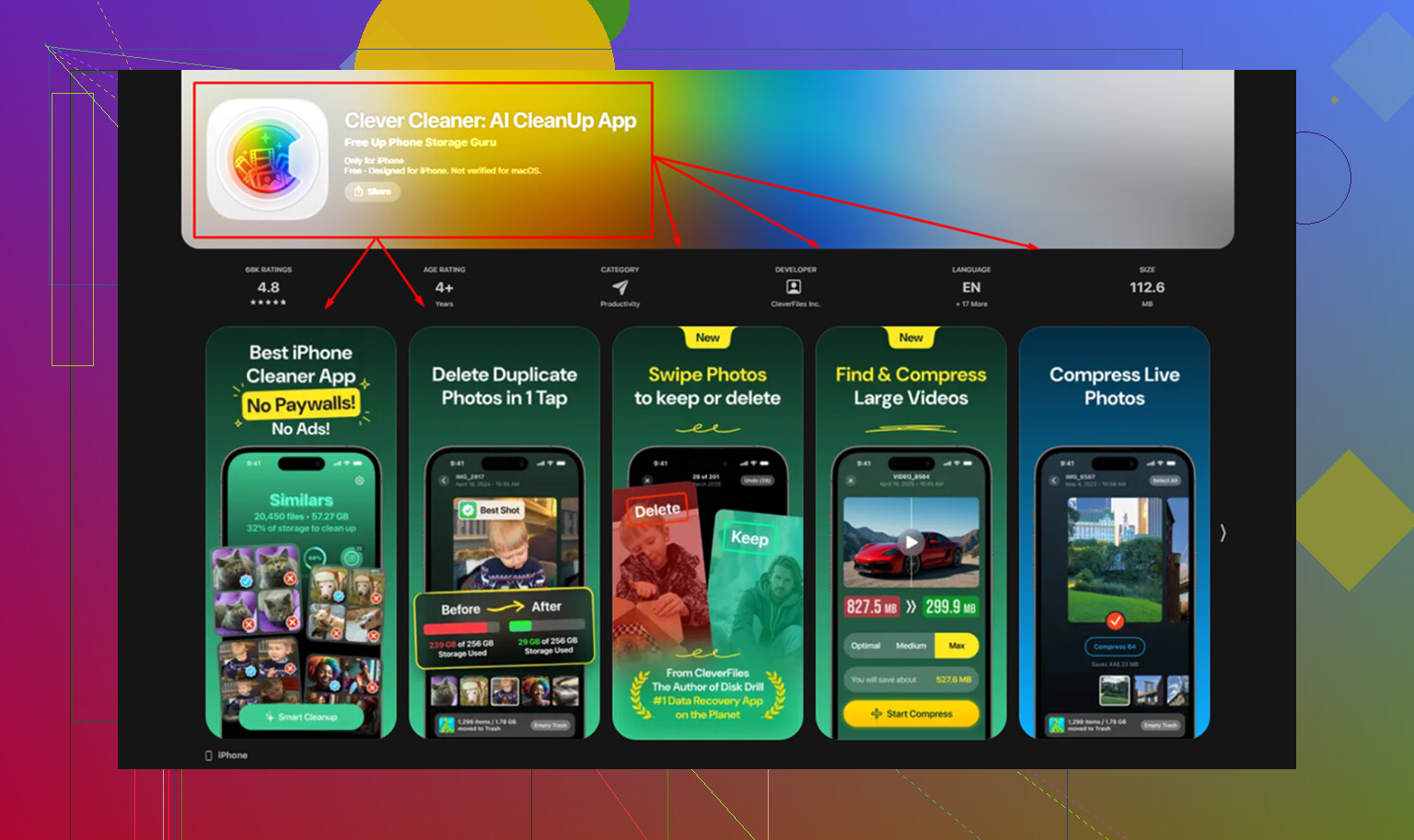
For me, photos were the main problem. Clearing them by hand was awful. I spent close to an hour once and barely made a dent. What made it manageable was Clever Cleaner. The Similars tab grouped near-duplicate photos together and marked a Best Shot, so I wasn’t sorting burst photos one by one like some kind of intern. The Heavies tab showed the biggest files first, which saved time fast.
After I cleared around 15GB, the lag I’d been noticing for months dropped off hard. One dumb detail, don’t forget Recently Deleted in Photos. Stuff sits there for 30 days and still eats storage until you empty it yourself. I forgot this once and thought the cleanup app was lying lol.
A few settings worth changing no matter what
These didn’t solve every case on their own, but they made a difference.
Turn off Background App Refresh for apps you don’t care about updating in the background.
Path: Settings > General > Background App Refresh
I found tons of apps doing background stuff for no good reason. Shopping apps do not need to be alive all day.
Turn on Reduce Motion.
Path: Settings > Accessibility > Motion
This swaps a lot of animations for simpler transitions. The phone feels snappier after this, even if the raw speed didn’t change much. Perception matters here, and on older iPhones I noticed it right away.
Restart the phone once a week
I used to ignore this advice. Then I tried it regularly and, annoyingly, it helped. It clears temporary mess from normal use and cuts down on the slow creep of lag.
What I’d check first, in order
If your iPhone lags in one app, update or reinstall the app
If it lags while plugged in, deal with heat
If it has gotten slower over time, check battery health and free storage
Then clean up background refresh, reduce motion, and restart it
That order saved me time. The trick is figuring out which kind of lag you’ve got before you start mashing random fixes.
1 Like
Age matters, but iPhone lag is often a combo of battery wear, iOS bloat, and settings drift. I agree with @mikeappsreviewer on checking battery and storage first. I disagree a bit on weekly restarts though. If you need to reboot every week to keep it usable, somthing else is off.
A few things I’d check that weren’t mentioned:
-
Analytics logs.
Settings > Privacy & Security > Analytics & Improvements > Analytics Data.
If you see the same app or process crashing over and over, that app is dragging your phone down. -
Mail and widgets.
Too many mail accounts polling often, plus widget stacks, live weather, sports, stock apps, all add background load. Remove the junk. Set mail fetch to manual or hourly. -
Safari clutter.
If Safari feels laggy, clear website data. Also trim old tabs. People keep 200 tabs open and act shocked lol. -
iOS version behavior.
Some older iPhones run worse on the newest iOS. Not always. If lag started right after an update, wait for the next patch before blaming the hardware. -
Battery drain plus lag together.
That points to background activity. Check Settings > Battery and look at which apps used the most power in the last 24 hours and 10 days. If one app looks insane, delete it.
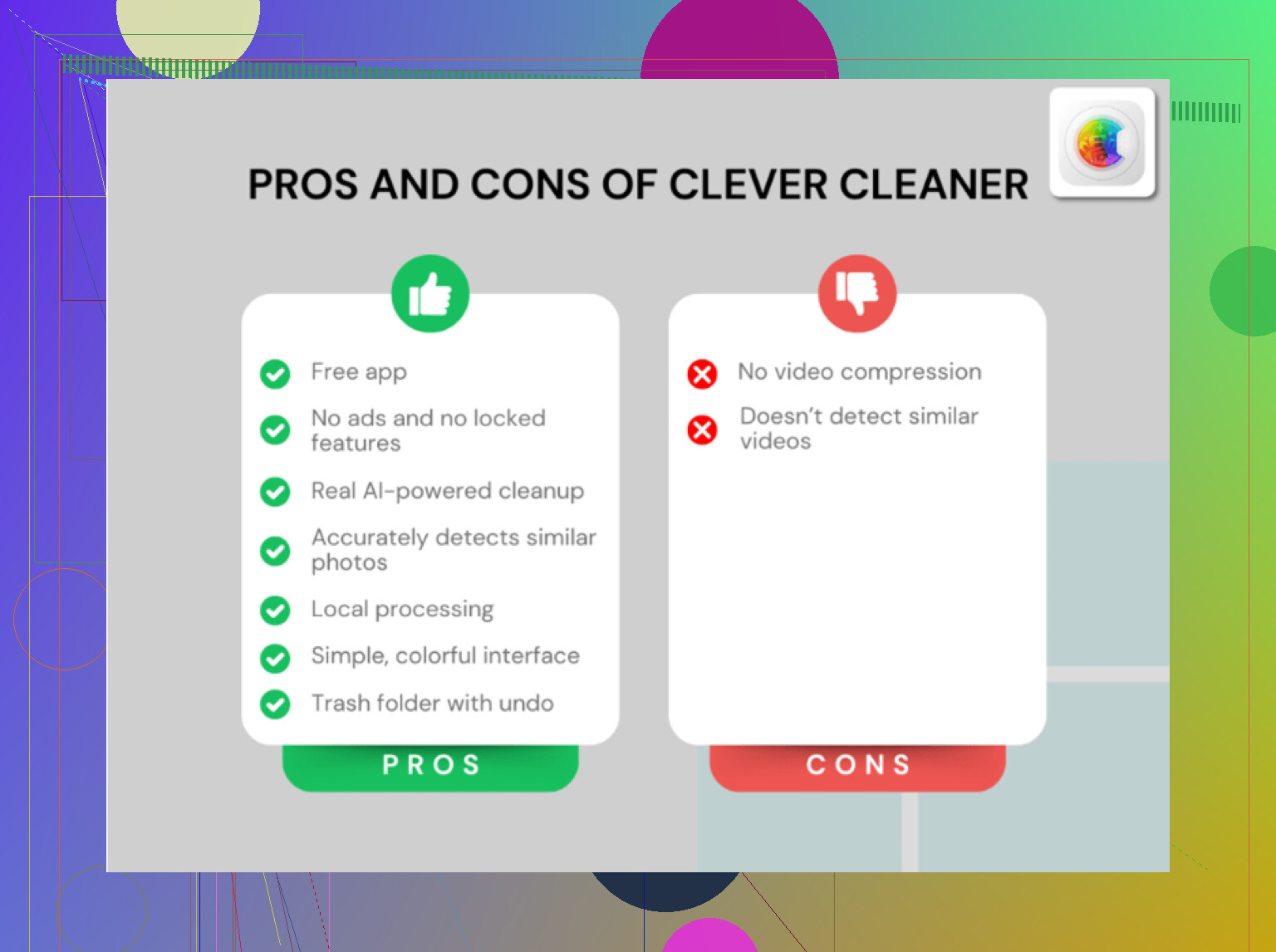
If storage is tight, Clever Cleaner is still worth a look for photo cleanup. This review covers why people rate it as a top free iPhone cleaner app for clearing space fast: top free iPhone cleaner app for freeing up storage
If battery health is under 80 percent, replace the battery before replacing the phone. On older iPhones, that fixes a lot more than ppl expect.
Not always “just age.” Sometimes it’s age, sometimes it’s one bad setting, and sometimes it’s iOS doing too much in the background.
I agree with @mikeappsreviewer and @viajantedoceu on battery/storage being big suspects, but I’d also check one thing people weirdly ignore: Low Power Mode. If yours is on all the time because the battery is fading, the phone can feel sluggish even before it gets truly old.
A few extras I’d look at:
- Check if your iPhone is indexing after an update. Photos search, Spotlight, and background processing can make it feel janky for a day or two.
- Turn off unnecessary location access. A bunch of apps set to “Always” can drain battery and add background activity.
- Kill Live Activities if you use them a lot. Sports, delivery, ride apps, all that stuff adds up.
- If the phone has less than 3 to 5GB free, I’d clear space fast. Not later, now.
Small disagreement with the “weekly restart” idea. Helpful? Sure. Required? Not really. If the phone only behaves after constant reboots, something else is probly wrong.
Also check Settings > Battery and see whether one app is eating absurd power. That’s often the real clue.
If your storage is packed with photos/videos, Clever Cleaner is actually useful for clearing duplicates and heavy files without making it a whole afternoon project. That’s one of the faster ways to free up space on an iPhone.
And if you want a better visual guide, this is a solid step by step iPhone cleaner app walkthrough.
My blunt version:
- Battery health under 80% = replace battery
- Storage nearly full = clean it out
- Lag started right after iOS update = wait for patch
- Only one app lags = app problem, not phone problem
If battery drain and lag showed up together over months, I’d bet background activity + worn battery before I’d blame “old phone syndrome” tbh.