I accidentally formatted my USB drive before copying off important photos and work files, and now everything appears to be gone. I need help figuring out the best way to recover data from a formatted USB drive without making things worse.
I wouldn’t freak out yet. I’ve seen wiped USB sticks give back most of their files, but the next few minutes matter a lot.
Stop touching the drive
First thing I’d do, and I mean right away, is leave the flash drive alone.
Do not copy anything onto it. Do not format it again. Do not run random fix tools. Don’t let Windows “repair” it either. Once new data lands on those old sectors, your odds drop.
A formatted USB is not something you reverse like hitting Undo. What you’re hoping for is simpler than that. With a quick format, the file list gets cleared, but the file contents often sit there until new data replaces them.
If you ran a full format, the situation gets rough. In a lot of cases the old data gets overwritten during the process, so recovery drops off hard.
Before scanning, check the obvious stuff people forget
I’ve seen people spend an hour with recovery tools, then find the files sitting in a cloud folder they forgot existed.
Look here first:
- OneDrive, Google Drive, Dropbox, iCloud
- Windows File History, or any backup app you used before
- Another external drive
- Your PC, if you dragged the files there at some point
- Email attachments, Discord, Telegram, WhatsApp, stuff like tht
This part is boring, but if your files are already somewhere else, you save time and avoid making the USB situation worse.
If there’s no backup, run recovery software
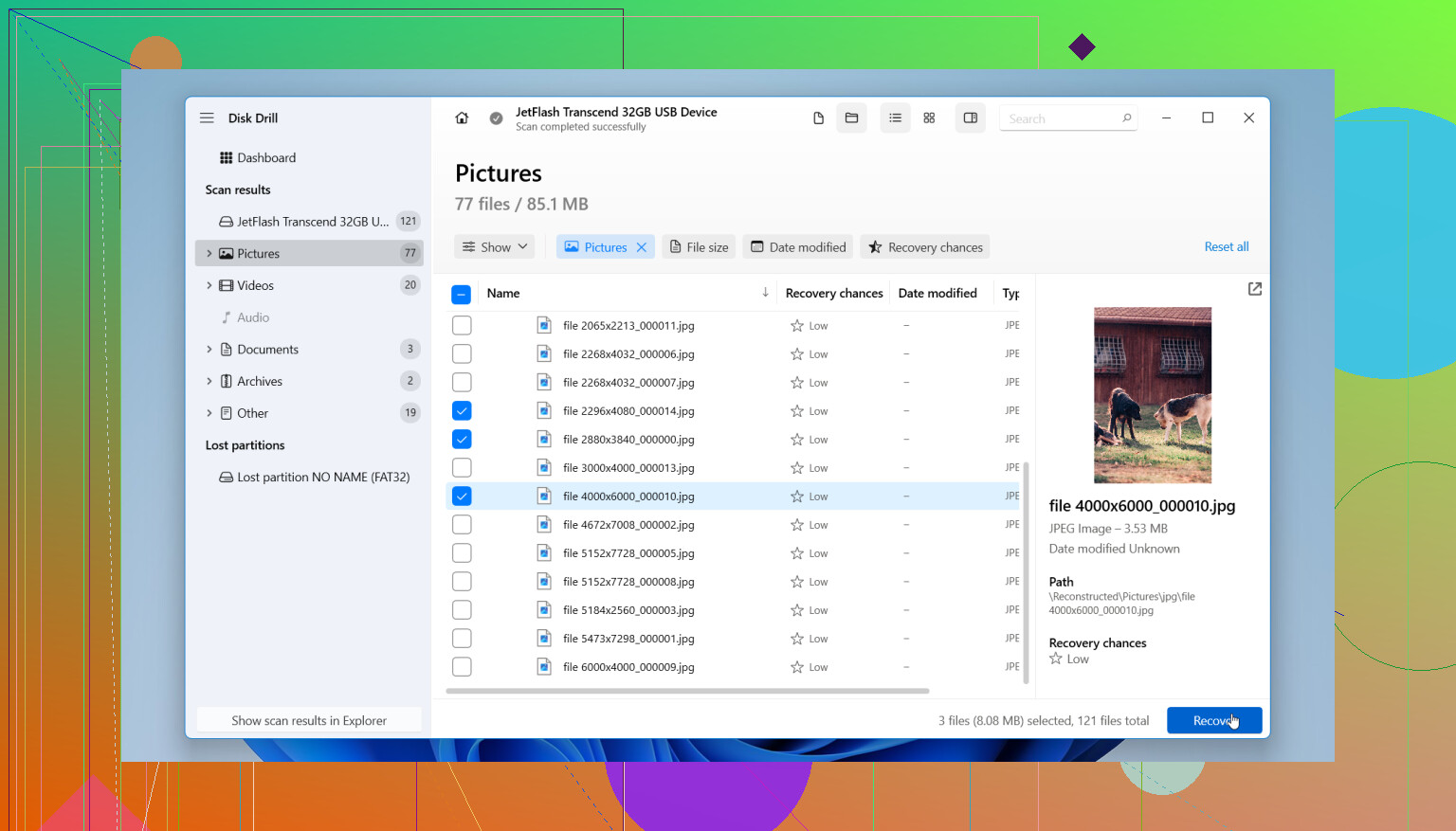
If I had no other copy, I’d go straight to a recovery scan. One tool people keep using for formatted USB drives is Disk Drill. It handles the file systems most flash drives use, and the workflow is easy enough without being dumbed down.
Here’s the usual process:
- Install Disk Drill on your computer, not on the formatted USB drive
- Plug in the USB and pick it inside the app
- Hit Search for Lost Data, then use Universal Scan
- Let the scan finish
- Preview what shows up
- Recover the files to a different drive
Do not restore files back onto the same USB. That’s one of the easiest ways to overwrite what’s left.
If the flash drive keeps dropping out, or looks flaky, use the byte-to-byte backup feature first. I’d do that before repeated scans. It creates a full image of the device, then you work from the image instead of stressing the original stick over and over.
If the scan looks bad, don’t call it dead yet
This part trips people up. A weak first result doesn’t always mean the files are gone.
What shows up depends on a few things:
- Quick format or full format
- Whether anything got written after the format
- Whether the file system metadata survived
- Whether the USB itself is failing
Sometimes the files come back with weird names, no folders, and no structure. Still usable. I’ve seen photos and documents recover fine even when the original organization was toast.
When I’d stop and hand it off
If the drive is not detected right, disconnects all the time, or recovery software can’t read it at all, I wouldn’t keep hammering it. At that point I’d look at a professional data recovery service if the files matter.
They’ve got hardware and methods consumer tools don’t. Software helps when the data is still readable. It does not fix a dying controller or a physically bad flash chip.
So yes, recovery from a formatted USB is possible. I’ve seen it work plenty of times, mostly after quick formats. Your best move is simple, stop using the drive, check for forgotten backups, then scan it with recovery software as soon as you can.
If it was a quick format, your odds are decent. If it was a full format, odds drop a lot. On newer Windows builds, full format often writes zeros, so recovery gets ugly fast.
One small thing I’d add to what @mikeappsreviewer said. Check the USB’s file system before you scan. exFAT and FAT32 drives often lose folder structure after format, but photos and docs still come back by file signature. NTFS sometimes keeps more metadata. That changes what recovery results look like, so don’t panic if filenames are gone.
My approach:
- Make a disk image first if the stick is old or slow.
- Scan the image, not the live USB.
- Sort results by file type and date.
- Recover a few test files first.
- Open them before saving hundreds of others.
I disagree a bit with going straight into a big scan on every flash drive. Cheap USB sticks fail mid-scan all the time. Imaging first saves headaches.
Disk Drill is a solid pick for formatted USB recovery because it handles both filesystem scanning and raw file carving in one place. If your photos are JPG, PNG, RAW, or your work files are DOCX, XLSX, PDF, you want preview support before recovery. That saves time.
Also, if the USB shows the wrong size, asks to be formatted again, or disconnects every few minutes, stop. Software won’t fix bad hardware. At tht point, pro recovery is the safer move.
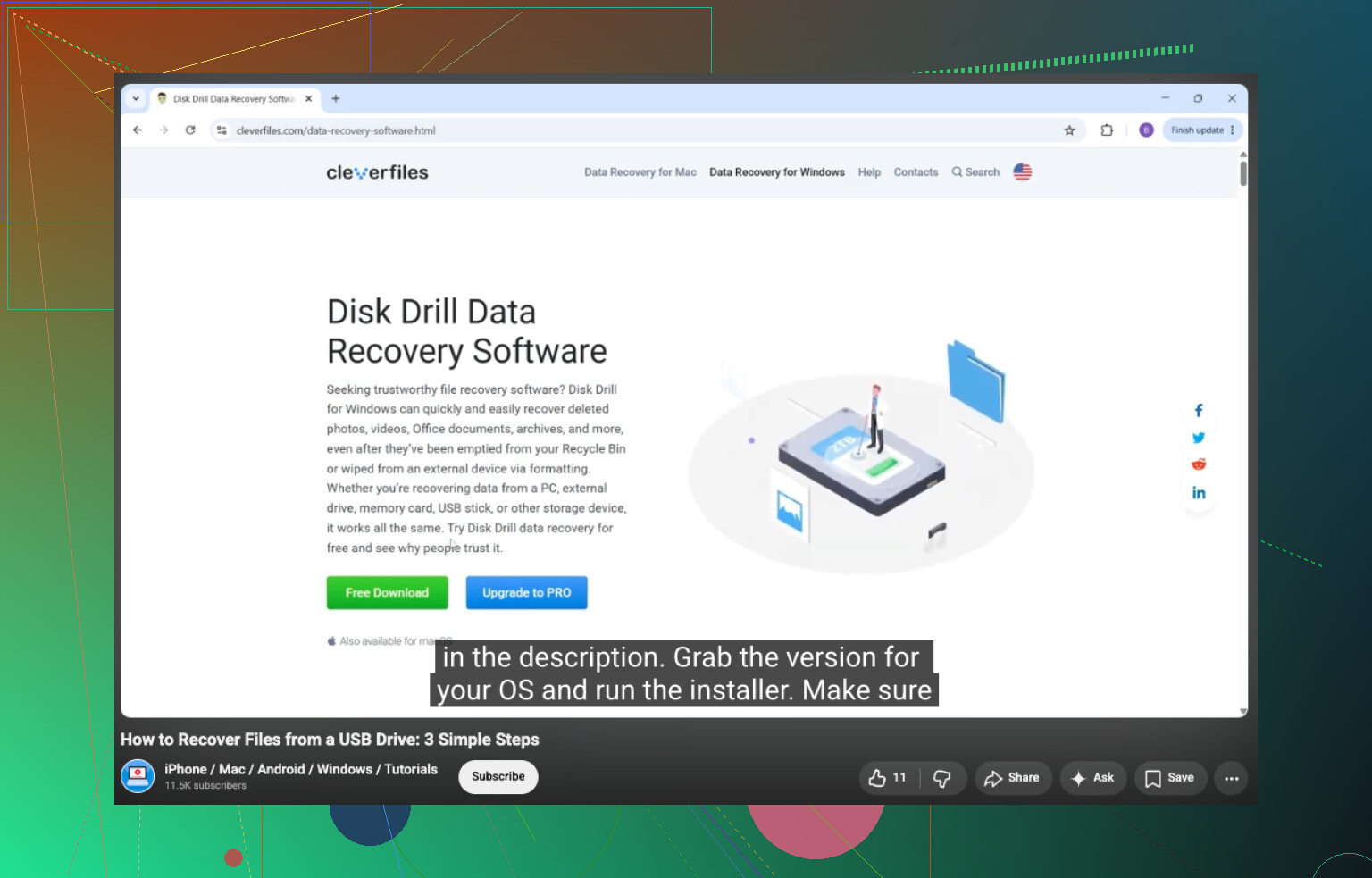
If you want a step guide, this USB drive data recovery tutorial for formatted flash drives is easy to follow.
If it was me, I would not keep trying different tools on the actual USB until I knew whether the format was quick or full. That part matters more than ppl think.
I slightly disagree with @mikeappsreviewer on jumping straight into recovery for every case. @espritlibre is closer to how I handle it: if the stick is acting weird, image it first. Cheap flash drives are flaky and sometimes die right in the middle of a scan.
A few extra things to check that haven’t been stressed enough:
- Look in Disk Management and confirm the USB shows the correct capacity
- If it suddenly shows a tiny size, RAW, or keeps reconnecting, that points to hardware/controller trouble
- Try a different USB port and another PC just to rule out bad power or a driver issue
- If your photos were from a camera, check whether they still exist on the original SD card/device
For software, Disk Drill is a solid choice for formatted USB data recovery because it can preview recoverable files before you save them elsewhere. That matters, since some recovered files look fine in the list but open corrupted. I’d preview the most important photos/docs first, then recover only those to another drive.
One practical tip: if filenames/folders are gone, sort by file signature, size, and modified date. That usually helps rebuild the mess faster than scrolling forever.
If this is more than casual stuff and the files are business-critical, don’t experiment too much. One or two careful attempts max, then pro recovery.
Also, if you want more community opinions, here’s a useful thread on best recovery software for accidentally formatted photo drives.