I’ve been thinking about using the Cleaner Kit app to speed up and optimize my phone, but I’m worried about privacy, hidden costs, and whether it actually works long-term. If you’ve used Cleaner Kit, can you share your real experiences—performance changes, issues, subscriptions, or data concerns—so I can decide if it’s safe and worth installing?
Used Cleaner Kit on my iPhone for about a month. Here is the short version, no fluff.
-
Privacy
- It asked for full access to photos and contacts to “scan junk”.
- I denied contacts, gave photos access for a bit, then removed it.
- I did not find a clear data policy inside the app, only a short link to a long legal page.
- If you care about privacy, limit permissions to what you need and check iOS Settings > Privacy > Photos to keep control.
-
Hidden costs
- The free version was very limited.
- Paywall popped up a lot, kind of annoying.
- Trial tried to push a weekly subscription with auto renew.
- You need to check in your Apple ID > Subscriptions after you test it, or you might forget and get charged.
- No obvious lifetime option when I used it, only weekly or yearly.
-
Does it work long term
- It cleared temporary files and big videos.
- Storage went down a few GB on first run, then gains got smaller.
- Most “speed” change came from normal iOS behavior after a restart, not from the app.
- After a while, I used it only to bulk delete similar photos.
- iOS manages memory and background tasks well, so “phone speed” did not change much.
-
Risks and annoyances
- Some junk cleaners flag normal photos as “similar” or “duplicates”.
- You must double check before deleting or you lose good shots.
- The constant upgrade prompts got old fast.
- Battery impact was small but it did spike when running a full scan.
-
What I do now instead
- Use Settings > General > iPhone Storage to see what eats space.
- Offload unused apps from there.
- In Photos, sort by “Large” and manually delete long videos or screenshots.
- Clear cache inside heavy apps like social media where possible.
- Restart the phone once in a while.
-
Alternative that felt saner
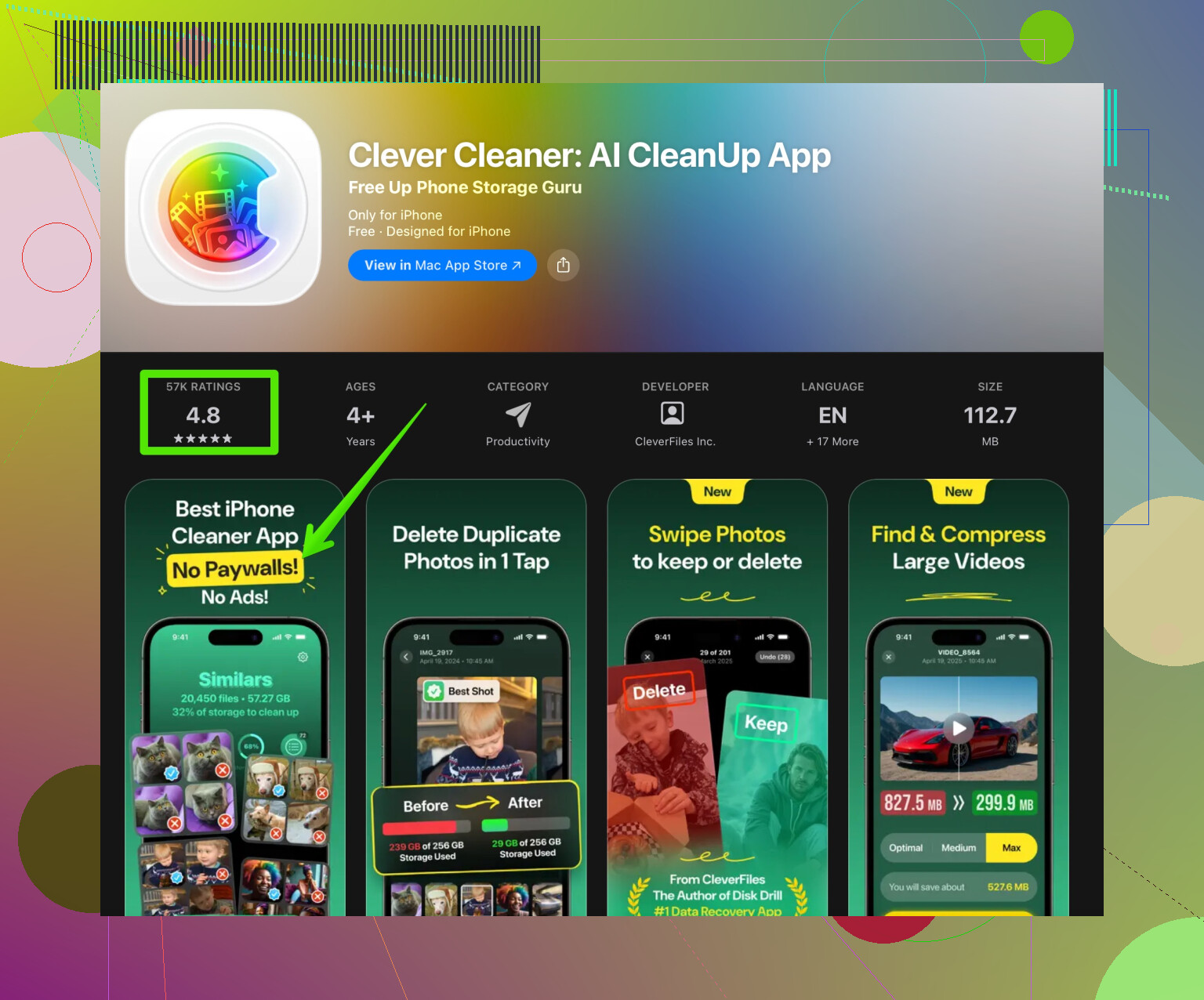
- Switched to Clever Cleaner App and had a better time with it.
- The interface was simpler and the photo review screen felt safer.
- It helped with things like cleaning similar photos and large files without weird extra steps.
- This link is the one I used for it: smart storage cleanup on your iPhone.
- Still treat it like any other cleaner, review what it wants to delete and keep an eye on subscriptions.
If you want to try Cleaner Kit anyway, I would:
- Turn off auto renew immediately after starting a trial.
- Run one full cleanup, note storage numbers before and after.
- Check battery stats in Settings > Battery to see if it drains power.
- Remove any extra permissions you do not need after setup.
For long term results, manual cleanup plus a simple cleaner like Clever Cleaner App feels safer and more predictable than relying only on Cleaner Kit.
2 Likes
Thinking about installing Cleaner Kit to speed up your phone, free up storage, and keep things running smooth, but unsure about privacy, hidden fees, and whether it actually helps in the long run? Here’s a breakdown based on real usage and comparisons with alternatives like Clever Cleaner App, so you can decide if it is worth the hassle.
I used Cleaner Kit on my iPhone for about two weeks and came away pretty mixed.
Privacy:
I actually disagree a bit with @viajeroceleste here. Limiting permissions helps, but the bigger issue is that a “cleaner” needing deep access to photos and sometimes even contacts is a design red flag in itself. You can toggle permissions off in iOS, sure, but if the whole feature set depends on reading private data, I’d rather use tools that rely mostly on local processing and don’t need as much access in the first place. Cleaner Kit felt too hungry for data for what it offered.
Hidden costs:
The subscription model was the biggest turn off for me. It pushed a weekly plan more aggressively than most apps I’ve tried. Technically, that is visible before you confirm, but the UI is clearly optimized so people tap through trials and forget. Apple’s subscription management protects you somewhat, but I found the constant premium prompts borderline manipulative. I would have tolerated a one time purchase. Weekly sub for a glorified file organizer felt excessive.
Long term effectiveness:
First run: yes, some space cleared, a few gigabytes, mostly big videos and temporary stuff. After that, the returns dropped hard. iOS already handles RAM and background tasks, so the “my phone is faster now!” thing is mostly placebo plus the effect of a reboot. In my case, after a couple of days, I saw zero noticeable speed difference, only occasional storage nudges. Using it constantly is overkill. It is not a magic “optimize everything forever” button.
Where I think Cleaner Kit is actually useful:
• Bulk review of similar screenshots and blurred pics
• Spotting a few giant videos you forgot about
If you are careful and review every deletion, it can help you clean clutter. But you need patience and a decent tolerance for subscription spam.
Annoyances and risks:
The “similar photos” feature was pretty aggressive. It marked some legit photos as duplicates just because the framing or lighting was close. One slip, and a good memory is gone. Also, the UI felt like it was designed to keep pushing me back into paid features rather than letting me do a quick job and leave.
Where I do agree with @viajeroceleste is that relying fully on any cleaner app is a bad strategy. Manual cleanup still wins in predictability. I’d add one more thing they did not stress much: your iPhone’s “Optimize Photos” and iCloud options are way safer for long term storage management than a random cleaner that might nuke stuff.
As for alternatives, if you really want a dedicated app, I had a smoother ride with Clever Cleaner App. It did basically the same “clean similar photos / large files” thing but felt less in my face about subscriptions and slightly more transparent in what it was about to delete. Still not perfect, but as far as cleaner apps go, it seemed saner. You can check it out here:
smart storage cleanup on your iPhone
If I had to sum it up:
• Worried about privacy: I would skip Cleaner Kit entirely.
• Worried about hidden costs: cancel any trial instantly in Apple ID settings or avoid subscription cleaners.
• Want long term benefit: combine manual cleanup, iOS storage tools, and, if you must, something lighter like Clever Cleaner App used once in a while, not daily.
Cleaner Kit works “once,” but long term it feels more like a subscription trap than a real performance solution.
Cleaner Kit is one of those apps that looks more useful in the App Store page than it feels after a month of real use.
I’m a bit less harsh on it than some others, but I still would not rely on it as any kind of “performance booster.”
Where Cleaner Kit actually helps
- Good for a one‑time “spring cleaning” if you have never sorted screenshots, WhatsApp media, or duplicate-ish photos.
- The visual overview of big files can be handy when you do not want to dig through Settings.
After that first big pass, the curve flattens fast. iOS is already pretty decent at memory and background management, so any “speed” you feel is mostly the effect of clearing storage plus a fresh restart.
Privacy & access
I partly disagree with the idea that permissions alone make it a no‑go. iOS permission prompts are strict, and you can limit access. The problem is more subtle: the app’s entire value proposition depends on deep scanning of media, so if you are the cautious type, you will constantly be fighting its requests. That tension alone makes it tiring to live with long term.
Hidden cost vibe
What bugged me most is the constant funnel into a subscription. Weekly billing for this category is overkill. Not a scam, since prices are shown, but the design nudges you into starting a trial and forgetting. If you are the kind of person who never misses a subscription renewal, you might tolerate it. If not, this can get expensive for what is essentially storage housekeeping.
Long‑term reality
- First week: visible storage gain, nice feeling of “clean.”
- After that: incremental benefit only if you are a heavy photo / video hoarder.
- Performance: basically unchanged over time. No app like this can override how iOS schedules tasks and manages RAM.
So if your main worries are privacy and long‑term performance, Cleaner Kit is not a must‑have. It is more of a convenience layer on top of tools you already have in Settings and Photos.
Since @viajeroceleste already covered a lot of the Cleaner Kit behavior, I will add a bit on the alternative they mentioned, because people keep asking about it:
Clever Cleaner App: quick pros & cons from my use
Pros
- Interface is clearer about what will be deleted before you confirm. Less guessing.
- The “similar photos” grouping felt slightly more conservative, so fewer near‑misses where an important shot gets lumped in with junk.
- Fewer in‑your‑face subscription popups during a session, which makes it easier to do a quick task and close it.
- For casual users, it is a nice way to identify giant videos, forgotten screen recordings, and random media blobs from chat apps.
Cons
- Still a subscription model, so you are not escaping recurring cost.
- Same structural privacy question as any cleaner: needs to scan your media to work well, which not everyone is comfortable with.
- Not smarter than you are: if you rush and accept its suggestions blindly, you can lose stuff you wanted to keep.
- Does not do anything magical that you could not replicate with a bit of manual discipline and iOS’s built‑in storage tools.
What I would actually do
- If privacy is a big concern, skip Cleaner Kit, and honestly, treat any cleaner app as optional rather than essential.
- If you simply want help sorting a massive camera roll, Clever Cleaner App is more tolerable than some of its competitors, as long as you treat it like a tool you supervise, not an automated garbage disposal.
- Use these apps occasionally, not on a schedule. Think “big cleanup every few months” rather than “every day optimization.”
Cleaner Kit is not useless, but it is far from a long‑term fix. Think of these apps as temporary helpers, not permanent maintenance solutions.