I accidentally deleted important photos from my Canon camera before backing them up, and I’m trying to find the best way to recover them. The images are really important, and I need help figuring out if they can still be restored from the memory card without making things worse.
There’s a decent shot your photos are still there. The first thing I’d do is stop using the SD card right now. No more photos, no video, no testing. When Canon photos get deleted, the files often stay on the card until new data lands on top of them. So the main thing is simple, what happened after the delete.
If you erased the photos and put the camera down right away, I’d feel pretty hopeful. If you kept shooting and added another 200 images or some 4K clips, the odds drop fast. You still might pull some files back, but some will come out broken, partial, or gone.
This is the order I’d follow.
Take the SD card out of the camera. Use a card reader. I would not connect the Canon body and do recovery through it if I had another option. If your computer pops up a format message, ignore it. Don’t run CHKDSK. Don’t hit First Aid. Don’t press some mystery “repair” button because the OS got nervous. Those steps are for fixing a card, not for protecting deleted photos.
After that, scan the card with recovery software. My short list:
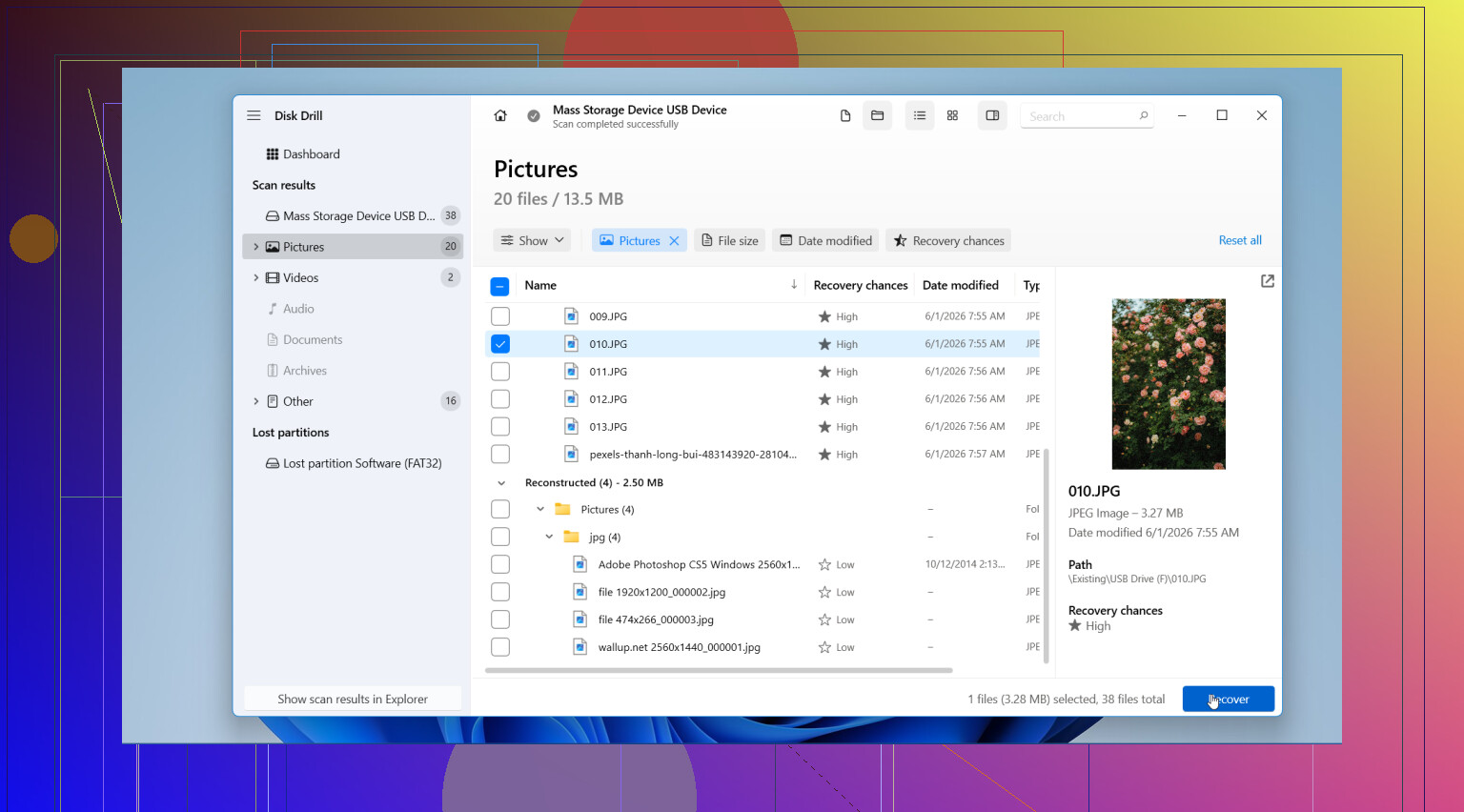
- Disk Drill What I’d try first. It handles common photo formats and RAW files well, the preview helps, and the process is easier to follow if you don’t do this stuff often.
- Recuva Fine for simple deleted photo recovery on Windows. I’ve seen it work on older jobs. It feels dated, and newer formats or messier cards seem to trip it up more often.
- Data Rescue Usable. I didn’t love the flow, but it’s not useless.
- UFS Explorer More serious tool. Better fit for tricky cases. Also easier to mess up with if you’re new.
One part people get wrong all the time, save the recovered files somewhere else. Put them on your computer or another external drive. Don’t write them back onto the same Canon SD card. If you do, you risk overwriting the stuff you haven’t recovered yet.
I’d also check the boring places before spending an hour scanning. Recycle Bin. Mac Trash. Time Machine. File History. Any cloud backup you use. Canon image.canon. If the photos were imported before and some sync ran in the background, your files might already exist somewhere safer.
So yes, I think recovery is possible. Stop using the card. Scan it with a decent tool. Preview what you find. Restore the good files to a different drive. After all this, I’d put tht SD card aside for a while. It already made enough trouble.
1 Like
Yes, deleted Canon photos are often recoverable if the card has not been filled with new data. I agree with @mikeappsreviewer on one point, stop shooting on that card. Where I differ a bit, I would make a full image of the SD card first if the photos matter a lot. Work from the copy, not the original. If the card is unstable, one bad read later and your options get worse.
A few things people miss:
- If you used in-camera ‘protect,’ check whether you deleted from playback or formatted the card. A quick delete is easier to recover than a full format.
- RAW files from Canon, like CR2 or CR3, need a tool with solid RAW support. Disk Drill is one of the better picks for photo recovery from camera SD cards because it previews many image formats before recovery.
- If previews look gray, sliced, or half images, some sectors were overwritten. Save those anyway. Sometimes another app opens them better.
Also, skip cheap ‘free’ tools if the card holds important shots. Many show files, then fail on recovery or rename everything into a mess. Been there, it sucks.
If you want more opinions, this thread on photo recovery software for camera SD cards is worth a look:
best photo recovery software for Canon SD cards, real user advice
If the card was formatted more than once, or the camera started throwing card errors, I’d move fast and keep the card untouched. That part matters a lot.
Yep, maybe. But the answer is less “Canon camera recovery” and more “what happened on the SD card after deletion?”
I mostly agree with @mikeappsreviewer and @sterrenkijker, but I’m a little less convinced you always need to make a full card image first. If the card is healthy and reads fine, that can just add time and confuse people who already panicked-deleted their shots. If the card is acting weird, then sure, clone it first. If not, I’d focus on getting a clean read and recovering ASAP.
A couple things not mentioned enough:
- Canon sometimes creates sidecar and database files that make the card look “normal” even after images were deleted. Don’t assume empty folders mean the photos are gone forever.
- If you shot RAW+JPEG, you may recover only one version at first. Check for both.
- If the files come back with generic names, that’s normal. The image data matters more than the filename.
Also, if you used “Format card” in-camera, don’t freak out imediately. A quick format is often still recoverable. A low-level format is much rougher.
For software, Disk Drill is a solid pick for Canon SD card photo recovery because it usually finds CR2/CR3 and regular JPGs better than a lot of bargain-bin junk tools. Save everything to your computer, not back to the SD card. That part people still mess up somehow.
Also found this if you want a simple visual explainer:
easy SD card file recovery walkthrough
If the card has new photos on it now, recovery is still possible, just probly incomplete.

Yes, often recoverable, but I’ll push back on one thing: people jump straight to software when the smarter first check is whether the files were only hidden from the camera index. Put the card in a reader and see if DCIM still has data-sized files before assuming full deletion.
If nothing shows, then recovery is the next move. @sterrenkijker is right about being cautious with the card, and @suenodelbosque/@mikeappsreviewer are right that continued shooting is what usually kills recovery chances.
My take:
- Single image delete: best odds
- Quick format in camera: still decent odds
- Low-level format or lots of new shooting: much worse
- Card errors/read failures: consider pro recovery, not DIY
On software, Disk Drill is a reasonable pick because it usually handles Canon JPG plus CR2/CR3 well.
Pros:
- easy preview
- good RAW support
- simpler than many advanced tools
Cons:
- not the cheapest option
- scan results can look overwhelming
- deep scans take time
One extra tip: if recovered RAWs seem broken, try opening them in Canon Digital Photo Professional before writing them off. Canon software sometimes reads damaged CR files better than generic viewers.