I’m thinking about using Mountain Duck for cloud storage and remote file access, but I’ve seen mixed reviews about speed, stability, and syncing. I need real user feedback before I commit, especially if you’ve used it for daily work or large files.
Mountain Duck serves as a bridge between local file management and remote storage, effectively turning cloud services and remote servers into local volumes. Rather than requiring a standalone client to upload or download files, it allows users to interact with their data directly through Finder on macOS or File Explorer on Windows. This approach differs from traditional sync clients, like the standard Dropbox or Google Drive apps, which often insist on mirroring entire folders to a local hard drive. Instead, it treats remote locations like an external hard drive or a network-attached storage (NAS) device.
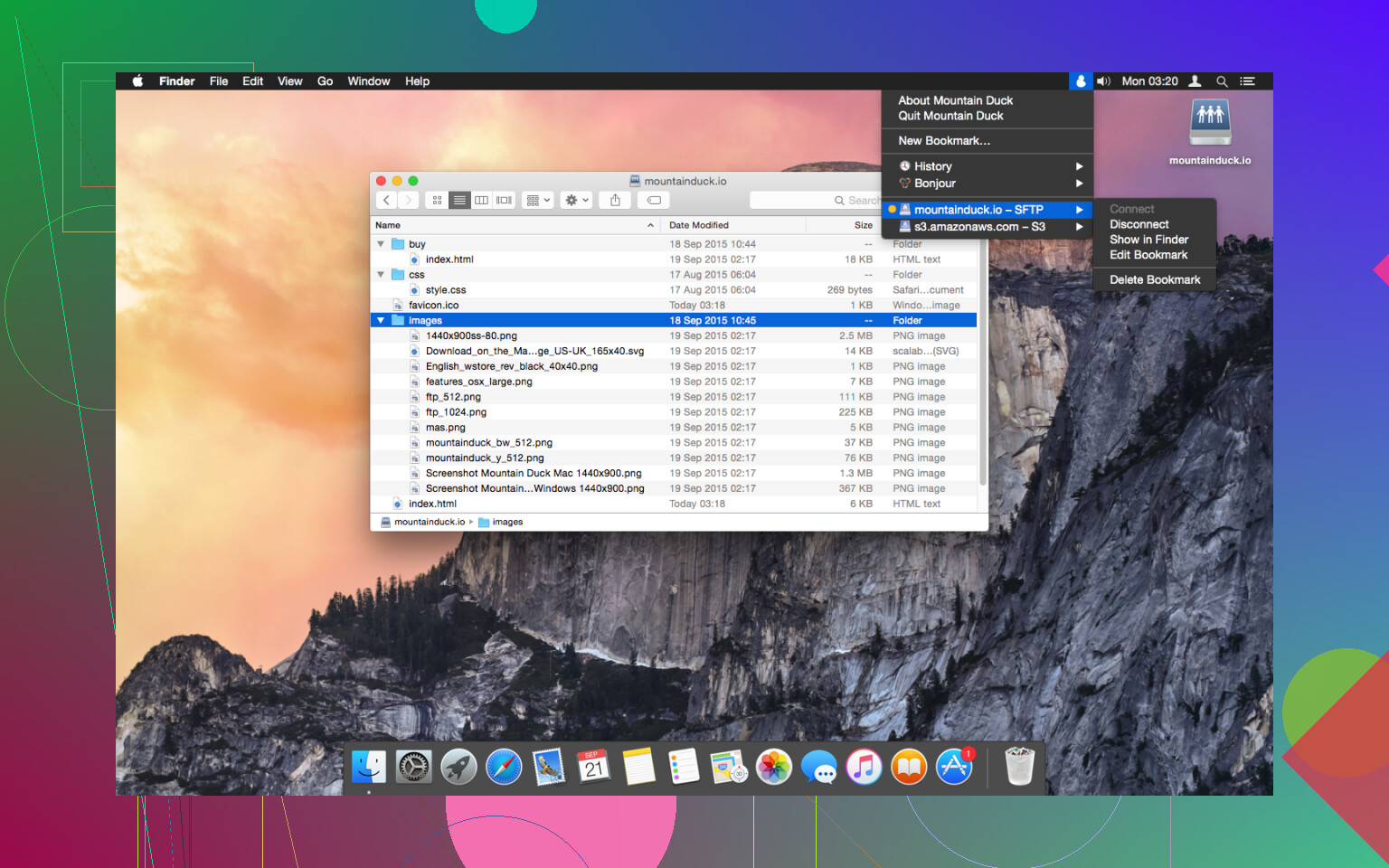
The tool is notable for how deeply it embeds itself into the operating system’s native file manager. Once a connection is established, files appear as if they are sitting on the computer’s own disk. However, the system uses smart synchronization to manage disk space; files remain on the server and are only downloaded to a local cache when a user attempts to open them. This makes it a practical solution for those managing large amounts of data on machines with limited internal storage.
 Remote Storage as a Local Drive
The utility offers a broad range of connectivity options, supporting standard protocols like FTP, SFTP, WebDAV, and SMB alongside major cloud providers. This includes Amazon S3, Microsoft Azure, OpenStack Swift, Google Drive, Dropbox, and OneDrive. By bringing these disparate services into a single interface, it eliminates the need to jump between multiple specialized apps or browser tabs.
 Core Capabilities and Integration
One of its biggest strengths is the seamless integration with the system’s native interface. Because it uses the standard file explorer, users can use familiar features like Quick Look on Mac to preview files or drag-and-drop to move data between different servers. The smart synchronization feature is particularly useful here; it keeps the file list visible without consuming local storage, only pulling the data down when it is actually needed.
The software also benefits from active maintenance. The developers provide frequent updates to ensure compatibility with new operating system versions and to patch security vulnerabilities. Additionally, the inclusion of Cryptomator integration allows for client-side encryption, meaning files can be secured before they are uploaded to a third-party provider. This adds a layer of privacy that isn’t always available in standard cloud tools.
 Performance and Resource Demands
While the software is functional, it isn’t without its frustrations. The most significant issue involves its impact on system resources. On both Windows and macOS,but particularly on Macs, Mountain Duck can be quite demanding. Users frequently report high CPU usage and significant memory consumption, especially when the app is indexing large directory structures or handling multiple active connections. This can lead to a noticeable decrease in system responsiveness or shorter battery life on laptops.
There are also logistical considerations regarding the cost. Unlike some open-source alternatives, Mountain Duck requires paid upgrades for major version jumps. For users who prefer a “buy it once and forget it” model, the recurring cost for new features and continued OS compatibility can be a drawback. Furthermore, while the interface is simple, the underlying complexity of mounting remote files can lead to occasional stability issues, such as folders failing to refresh or the file manager hanging while waiting for a remote server to respond.
 A Solid Alternative: CloudMounter
If you find the performance issues or resource usage to be a dealbreaker, CloudMounter is a solid alternative. It is perhaps the closest competitor for GUI-based Finder integration, supporting popular cloud services and remote servers while offering strong encryption for sensitive data.
CloudMounter focuses on a similar “mount as drive” philosophy but often feels more optimized for users who prioritize speed and lower resource overhead. Its feature set is comparable in many ways:
- Service Support: It covers all the major bases, including Amazon S3, Dropbox, Microsoft OneDrive, Google Drive, and MEGA.
- Ease of Use: The setup is straightforward, requiring a simple login process to make remote files accessible from the native file manager within minutes.
- Security: It includes the ability to encrypt files before they are uploaded to the cloud. Once enabled, files are secured automatically and are only decrypted when downloaded back to the local machine.
- Cross-Platform Consistency: The tool is compatible with both macOS and Windows, maintaining the same core features and interface across both operating systems.
- Offline Functionality: It includes an offline mode that allows for working with files even without an active internet connection; any changes made are queued and synced automatically once the connection is restored.
- Efficiency: For those dealing with large file collections, CloudMounter generally demonstrates better performance and stability, avoiding some of the heavy slowdowns that can occur with other mounting tools.
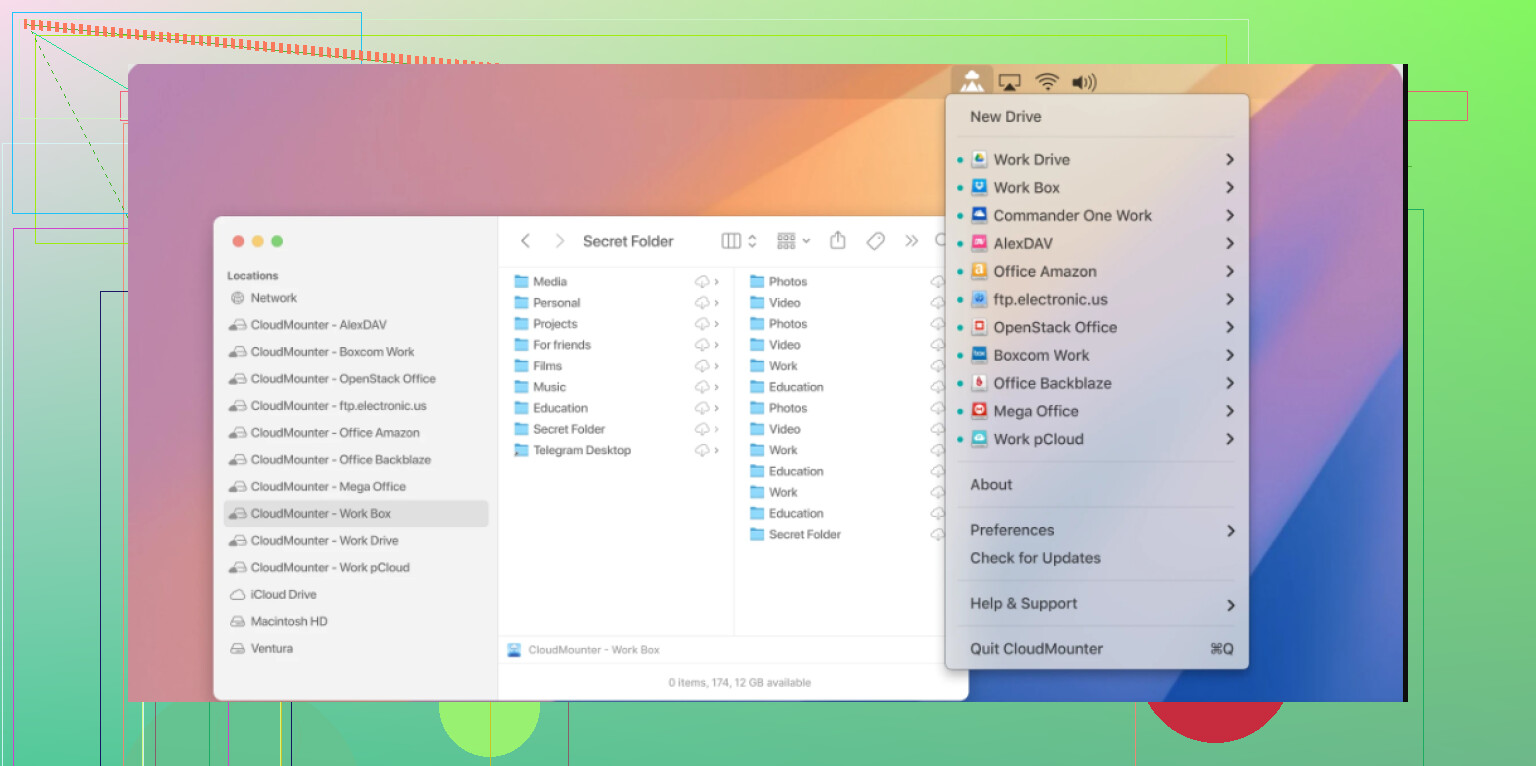
Ultimately, choosing between these tools depends on specific workflow needs. Mountain Duck offers a very comprehensive set of protocols and deep Cryptomator integration, which is a significant plus for security-conscious users. However, for those who find their system struggling under the weight of the app’s resource demands, exploring an alternative like CloudMounter may lead to a more fluid experience when managing remote data.
2 Likes
I used Mountain Duck on macOS for about 8 months with S3 and WebDAV. My take is mixed.
What it does well:
It mounts storage cleanly in Finder. For read-heavy work, it feels nice. Great for archives, shared folders, and files you open once in a while. It also handles odd setups better than a lot of cloud apps.
What got old:
Write operations felt inconsistent. Small files were fine. Big folders with lots of changes were where I saw hangs, delayed refresh, and the occasional Finder freeze. Not nonstop, but enough to bug me. Sync is also the wrong expectation here. It is more mount-and-cache than true Dropbox-style syncing.
I disagree a bit with @mikeappsreviewer on one point. Resource use was not my main issue. Reliability under daily editing was. If you edit files in place all day, Mountain Duck felt fragile to me.
If your use case is remote access, decent pick. If your use case is active project work, I’d test CloudMounter too. It felt smoother in day to day use on my Mac. Less fiddly, fewer weird pauses. Not perfect eihter, but easier to live with.
I’m a little less down on Mountain Duck than @mikeappsreviewer and @chasseurdetoiles, but only for a specific use case.
If you want “cloud storage as a mounted drive,” it’s actually pretty solid. If you want “true sync client I can hammer all day with active projects,” nah, that’s where people get dissapointed. A lot of the bad reviews come from expecting Dropbox behavior from a mount tool.
My experience on Windows was better than on Mac, honestly. SFTP and S3 were fine for browsing, opening, and occasional saves. Where it got weird was lots of rapid file changes, apps autosaving constantly, or deep folders with tons of small files. Then you start seeing lag, stale directory views, and random little hiccups that make you wonder if the file actually saved.
So my honest take:
- Great for remote access
- Fine for cold storage / archives
- Decent for occasional edits
- Not ideal for heavy live project work
- “Syncing” is not really its strong suit
I also think some people overstate the speed issue. The bigger problem is predictability. When it works, it feels seamless. When it doesn’t, it feels janky in a way that’s hard to trust.
If you’re comparing options, CloudMounter is worth testing too. Similar idea, and for some people it feels a bit simpler day to day. I wouldn’t blindly buy Mountain Duck without trying both first tbh.
I land somewhere between @chasseurdetoiles and @codecrafter on this. Mountain Duck is good software, just very easy to use for the wrong job.
My honest opinion: it is best treated like a network drive with caching, not like a real sync platform. If that clicks with your workflow, it can be great. If not, it becomes annoying fast.
What I liked:
- broad protocol support
- nice OS-level integration
- good for reaching remote files without cloning everything locally
- useful for servers, archives, shared repositories, media storage
What I didn’t like:
- latency leaks into normal file operations
- some apps do not behave well when saving directly to mounted remotes
- reliability drops with lots of tiny files and constant edits
- Finder/File Explorer weirdness is still part of the package
I slightly disagree with @mikeappsreviewer on resource usage being a top issue. For me, the bigger problem was trust. When I save a file, I want zero doubt. Mountain Duck sometimes leaves just enough doubt.
CloudMounter is worth testing alongside it.
CloudMounter pros:
- usually feels simpler in daily use
- cleaner for common cloud accounts
- decent offline handling
- built-in encryption is handy
CloudMounter cons:
- not as flexible for every niche backend
- still dependent on connection quality
- can feel basic if you want lots of advanced tuning
So, short version:
Mountain Duck for remote access and light-touch work.
CloudMounter if you want a smoother everyday experience.
Neither is my first pick for heavy active project syncing.